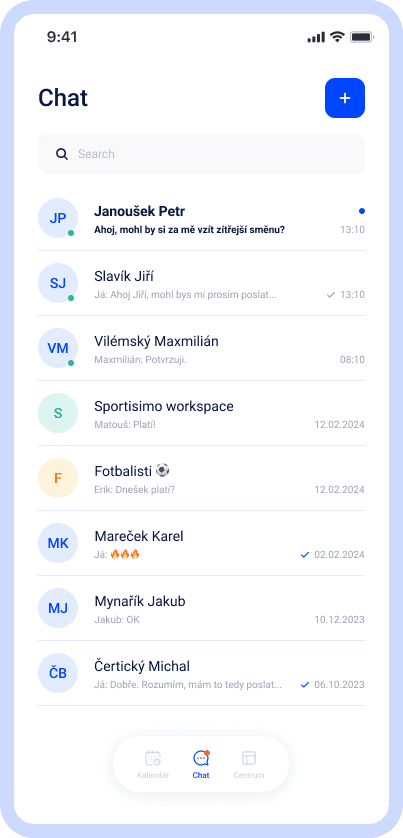
Employees get messages from their manager and colleagues in one place — you see who's read it, and nobody has to share a personal phone number.
We've got a plan for your shifts! Just like for 100+ other companies








Know exactly who's seen a message
Send a mass message to the whole team and see who's already read it — and who hasn't.
Communication stays at work, not on a personal phone
Chat with your team without exchanging phone numbers. Everything stays in Dayswaps.
A new colleague is in the chat from day one
As soon as you add an employee to the system, they automatically appear in the right chats. When they leave, they automatically disappear too.
Team chat is a module for communication between managers and employees right inside Dayswaps — 1:1 messages, group chats and mass announcements, with no need to share personal phone numbers or switch to another app.
You message an employee directly, or create a group for a shift or a branch. A mass announcement reaches the whole team at once and you see who's read it. New employees are added to the right chats automatically, and automatically removed when they leave the system.
AI + Human
“Who is on the afternoon shift today?” Before you write, one question tells you who it concerns — instead of the whole team getting it, including everyone who is off. The assistant lists staffing for any period, for the team or one person.
From the Complete plan up you can also ask for a custom report to download — “How many weekend hours did each employee work last quarter?” — and the file arrives right in the reply.
The AI Assistant is part of every plan.
See everything the AI Assistant can do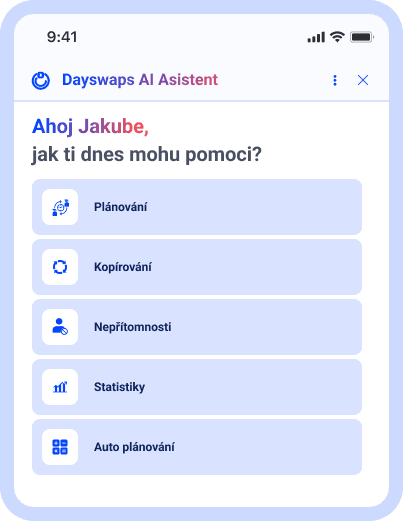
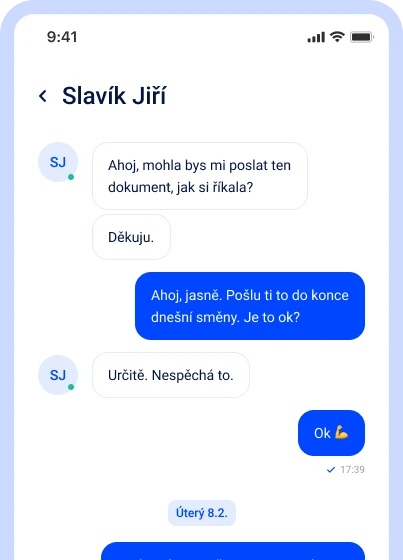
Messages to one person, or the whole team
Message a colleague directly, or create a group for a whole shift or branch.
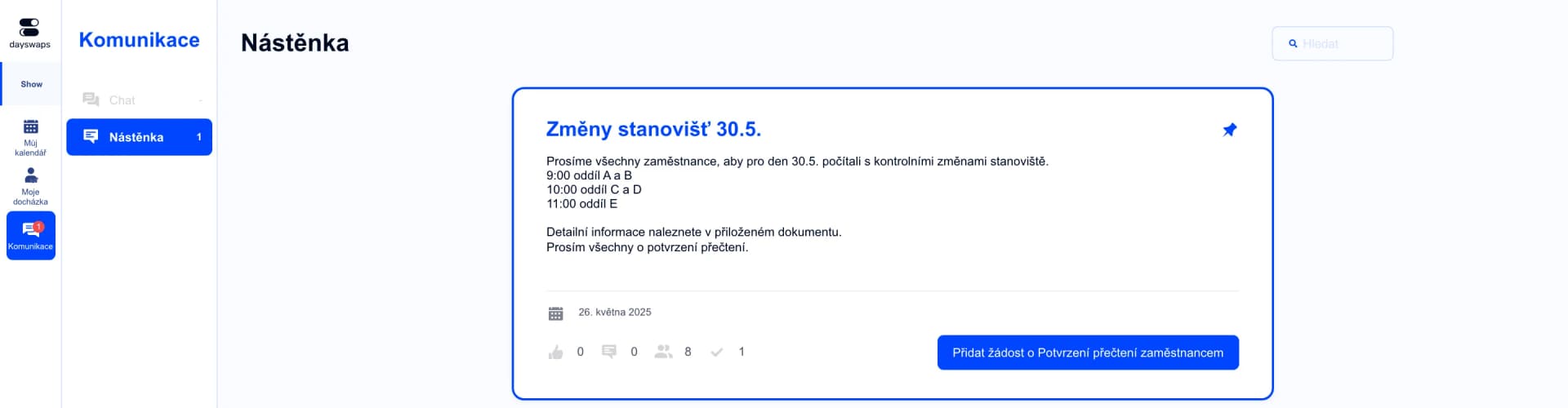
Know who's seen a message
Send an announcement to the whole team and see who's read it — and who hasn't.
Documents and photos in one place
Share files, photos and documents directly in the chat.
"I no longer have to search for information across text messages, e-mail and Facebook. With Dayswaps I have everything in one place, saving me both time and nerves."
Juraj Balogh
Creditcall

No sharing of phone numbers
Communication stays in a work context — nobody has to give out a personal number.
A new colleague is in the chat from day one
Add an employee to the system and they automatically appear in the right groups — and disappear again when they leave.
No. Chat works without sharing phone numbers — communication stays in a work context, and only people you invite into the system get access.
Yes. Every announcement shows a named list of who's already read it and who hasn't.
No. As soon as you add an employee to the system, they automatically appear in the right chats. When they leave, they automatically disappear too.
Yes, send documents, photos or other files directly in the conversation — nothing gets lost in email.
Yes, chat is available on the web and in the mobile app — messages from your manager and colleagues are always at hand, no digging through texts or WhatsApp.
In chat, pick the employees you want to include and create a group in one click — ideal for a whole shift, a branch, or a project team.
Join more than 100 companies that plan their shifts with Dayswaps.
Free for 14 days, no credit card required.