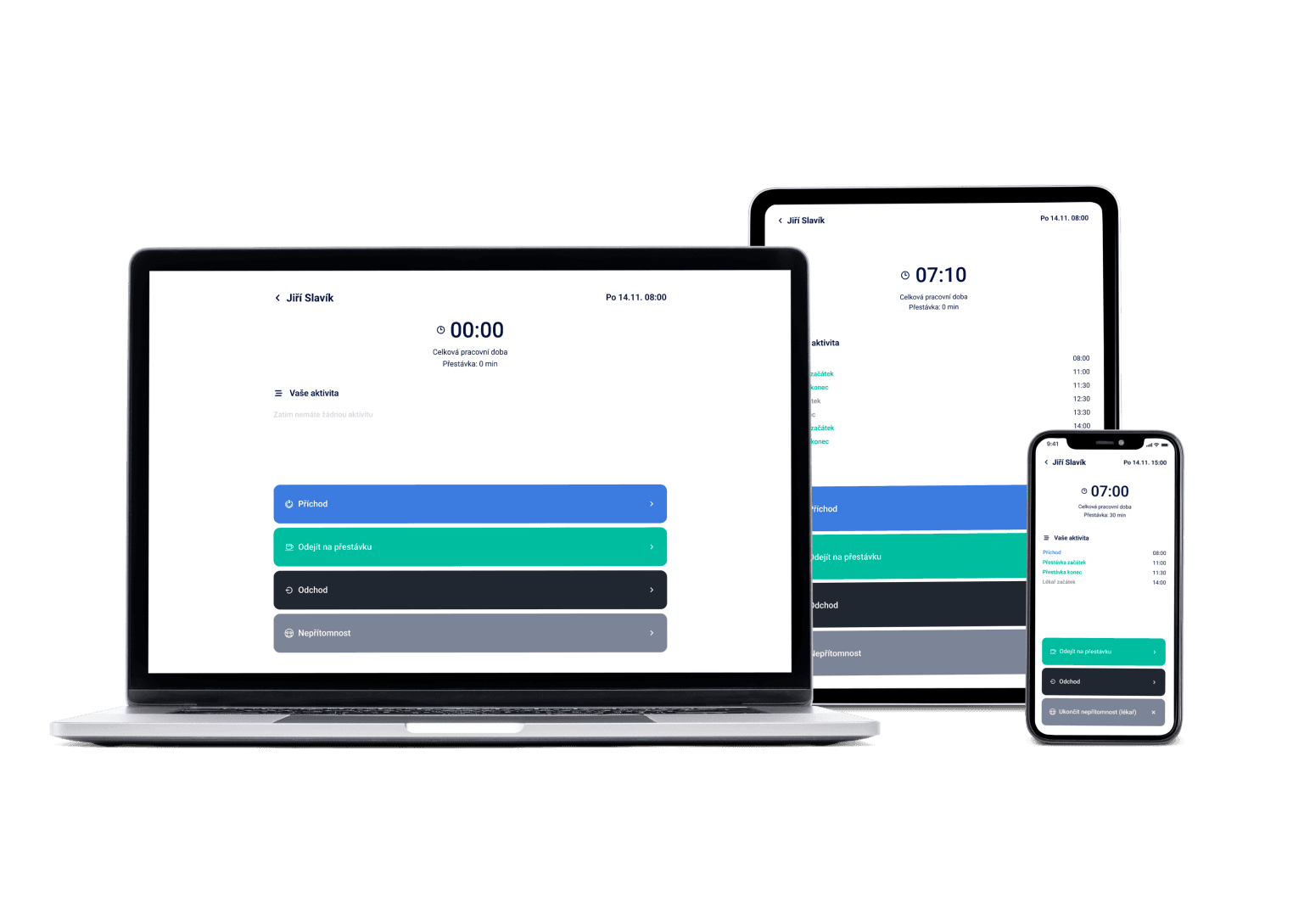
Staff clock in with a PIN on a tablet or phone you already have at the workplace. Attendance matches itself against the shift plan, breaks are deducted per labour law, and at month-end one export sends payroll data to KS Portal, Pamica, Helios, HH or MRP. Already own a reader? We connect to it.
We've got a plan for your shifts! Just like for 100+ other companies





The terminal is included, not a line item
The attendance terminal is a Dayswaps page running on a tablet or phone you already have at the workplace. Employees identify themselves with a PIN. And if you already own a reader, we connect to it.
See instantly where plan and reality diverge
Scheduled shift right next to worked shift. Discrepancies show up immediately, not just at month-end close.
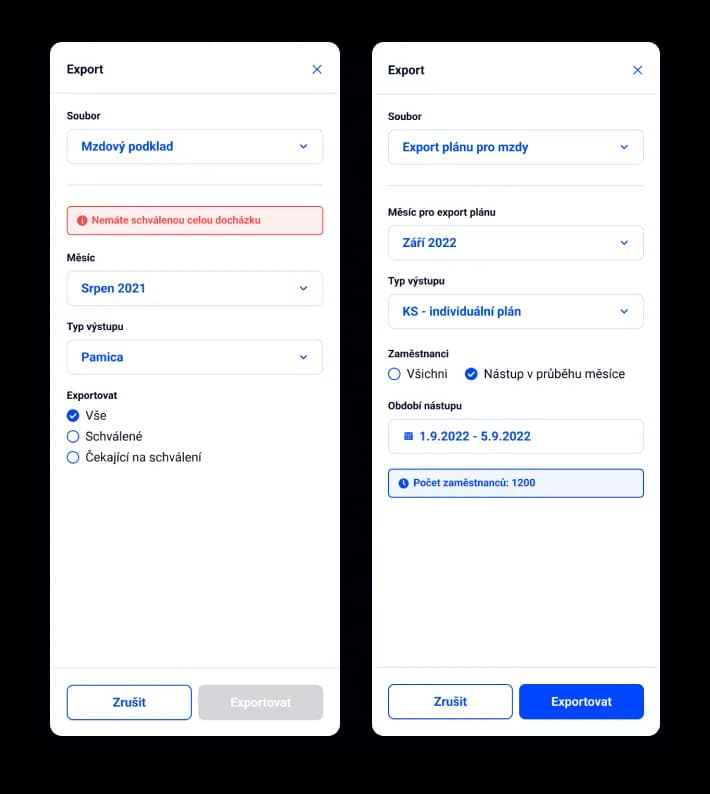
From attendance straight into your payroll software
Export payroll data directly to KS Portal, Pamica, Helios, HH or MRP. No manual re-typing.
An attendance system is software that records employee clock-ins and clock-outs, calculates hours worked and turns them into payroll data. Employees clock in either on a terminal at the workplace or in a mobile app. Compared to paper timesheets and spreadsheets, it removes the re-typing and the errors in the totals.
An employee clocks in with a PIN on the terminal — a Dayswaps page running on a tablet or phone at the workplace — or directly in the mobile app. The system deducts breaks per labour law and compares the plan against reality. The employee checks their attendance, you approve it, and one export sends payroll data to KS Portal, Pamica, Helios, HH or MRP.
Attendance is part of the Complete plan — €2.24 per user per month with the discount on annual billing; the attendance terminal is included in Basic from €1.54. The first 14 days are free with no commitment. You buy no equipment — the terminal runs on a tablet you already have at the workplace.
AI + Human
“Prepare the payroll file for March.” The download link arrives right in the reply, ready to import into your payroll software. Approving attendance stays where it belongs — with you; the assistant hands you a finished file, not a decision.
From the Complete plan up you can also ask for a custom report to download — “How many weekend hours did each employee work last quarter?” — and the file arrives right in the reply.
The AI Assistant is part of every plan.
See everything the AI Assistant can do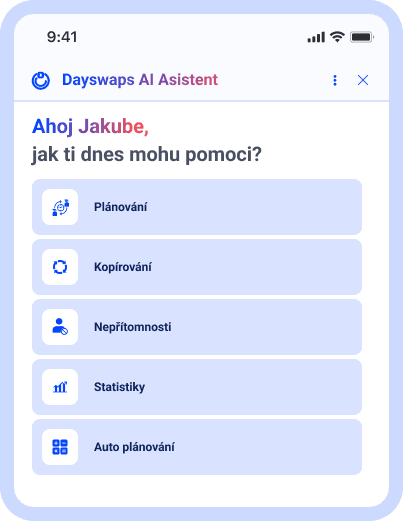
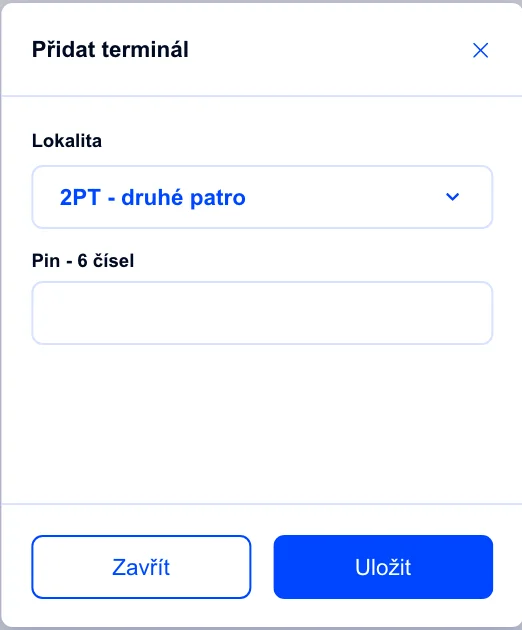
A terminal on the tablet you already have
The terminal is a Dayswaps page on a tablet or phone at the workplace — employees identify themselves with a PIN. Already own a reader? We connect to it.
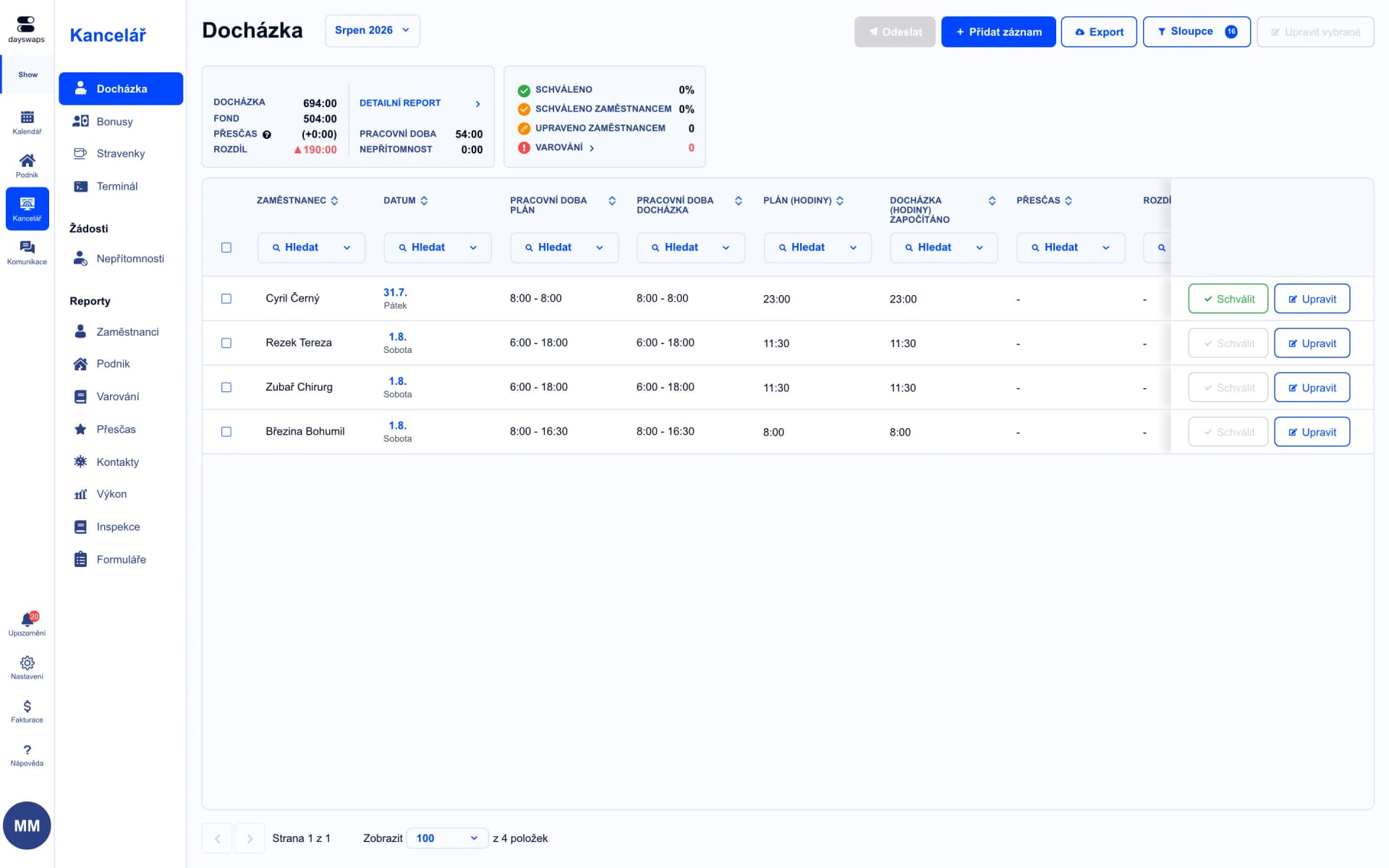
Scheduled right next to worked
See scheduled and worked shifts side by side — spot discrepancies right away, not just at month-end close.
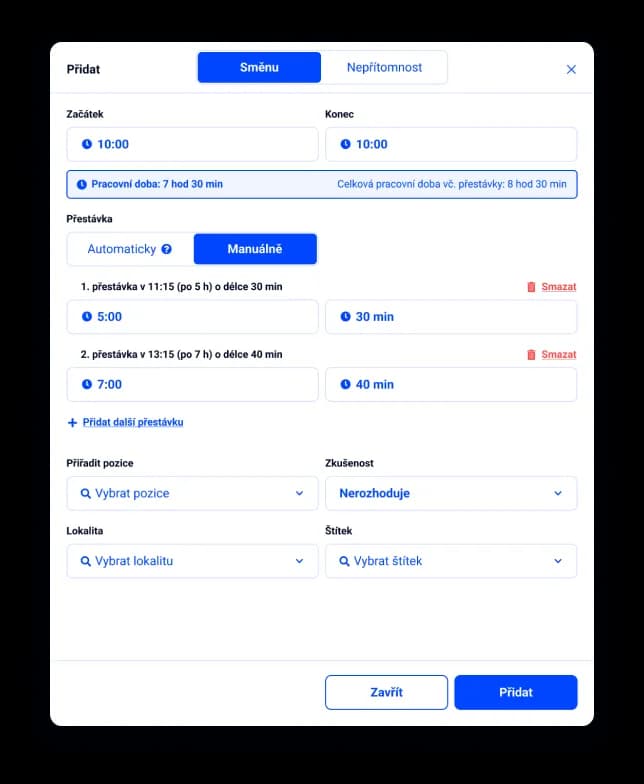
Legal breaks, calculated automatically
The system automatically proposes the legally required break based on hours worked.
"Great work. Dayswaps is exactly what I needed to get rid of complicated Excel and simplify not only shift planning but also communication with employees at our company."
Jakub Hrda
Hello Bank
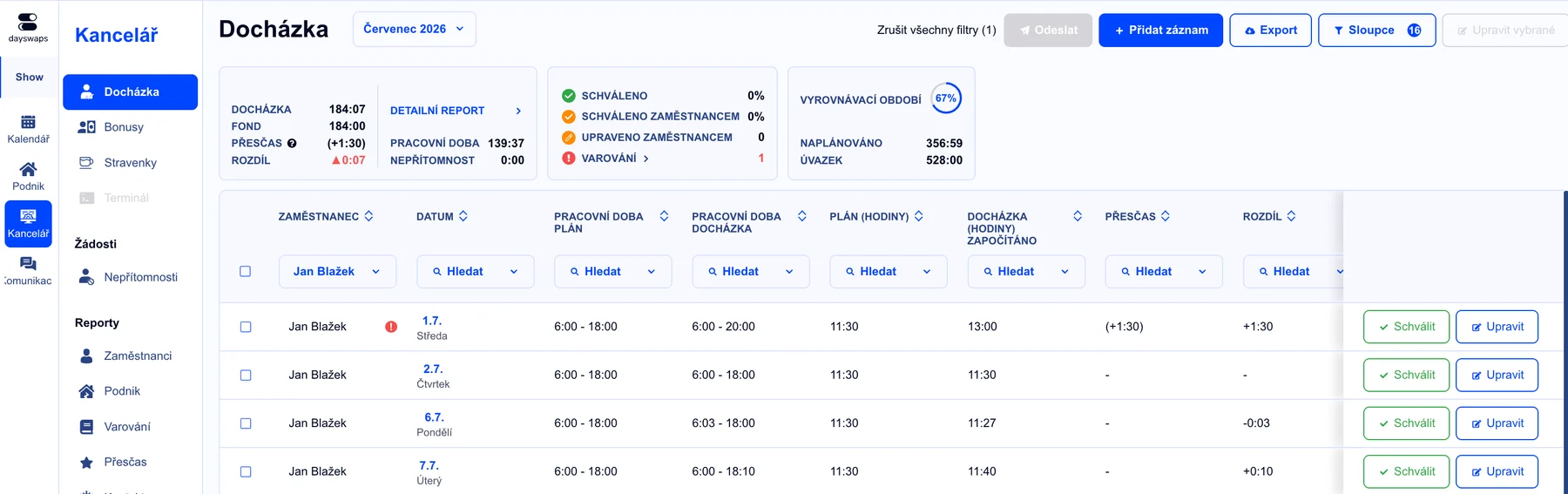
See overtime before it piles up
Track overtime continuously and get alerted in time.
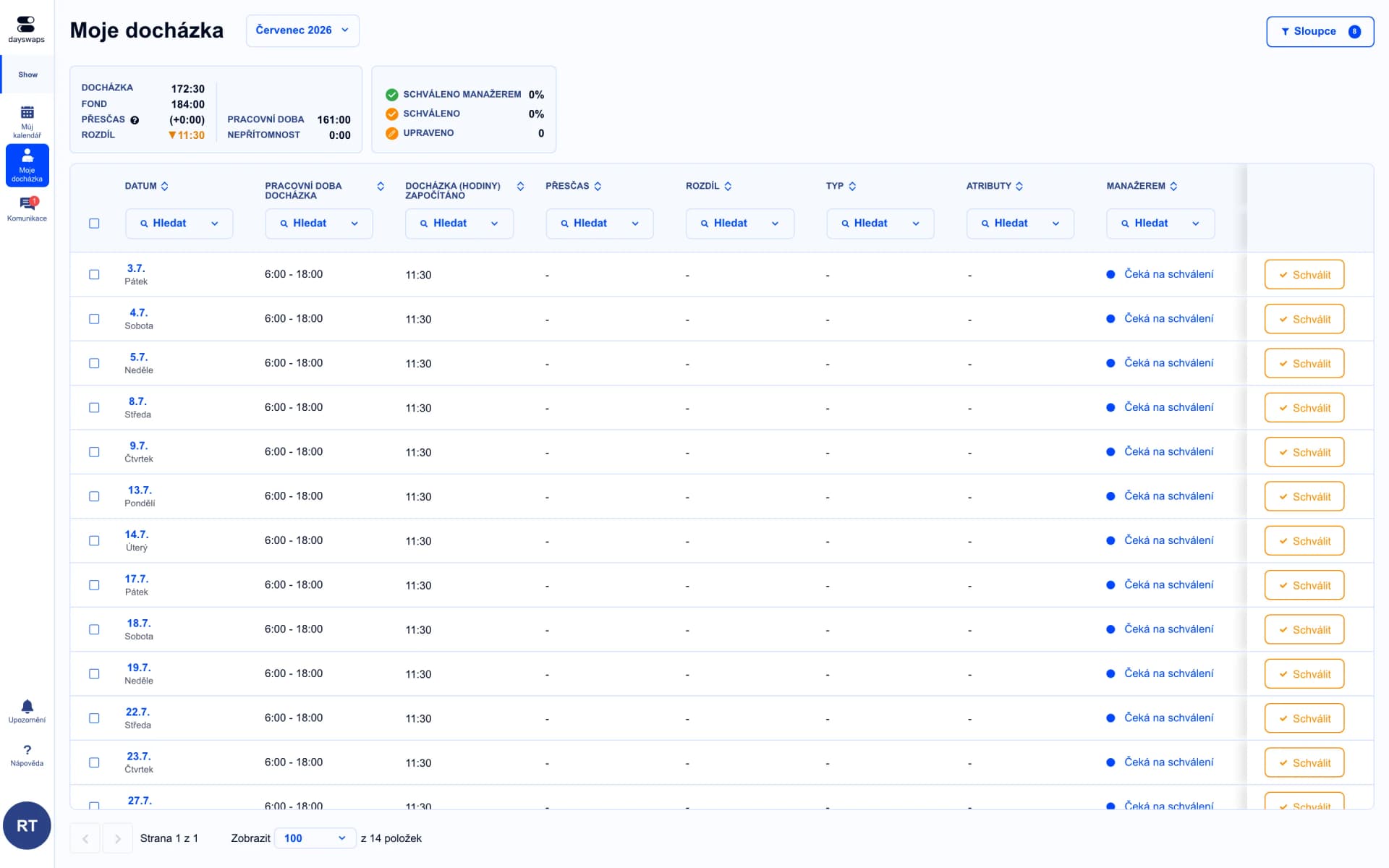
Employee checks it, you confirm it
The employee checks their attendance in the app and requests a correction if something's off — approval and the payroll export stay with you.
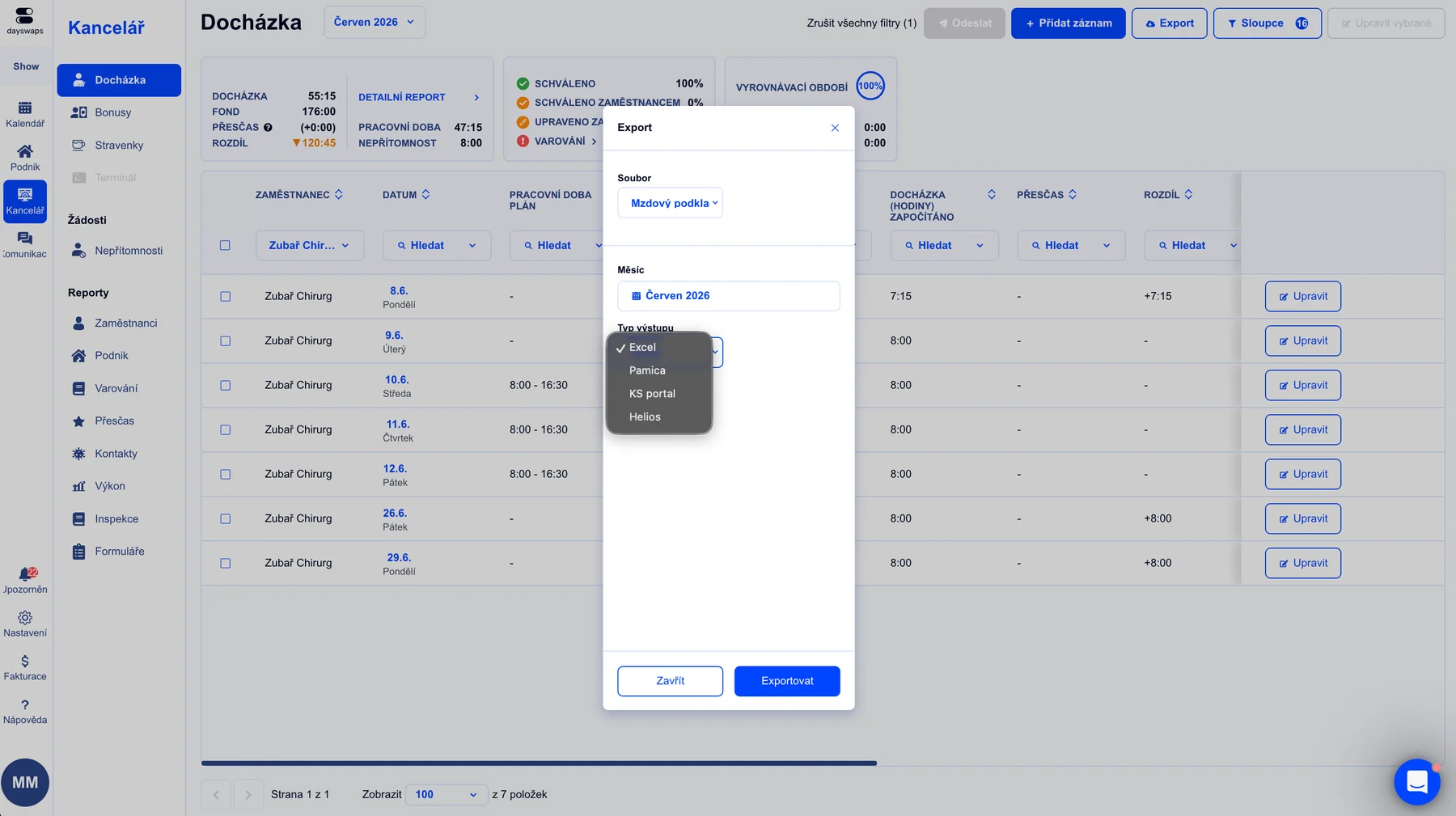
Payroll data in a few clicks
Export attendance directly to KS Portal, Pamica, Helios, HH or MRP.
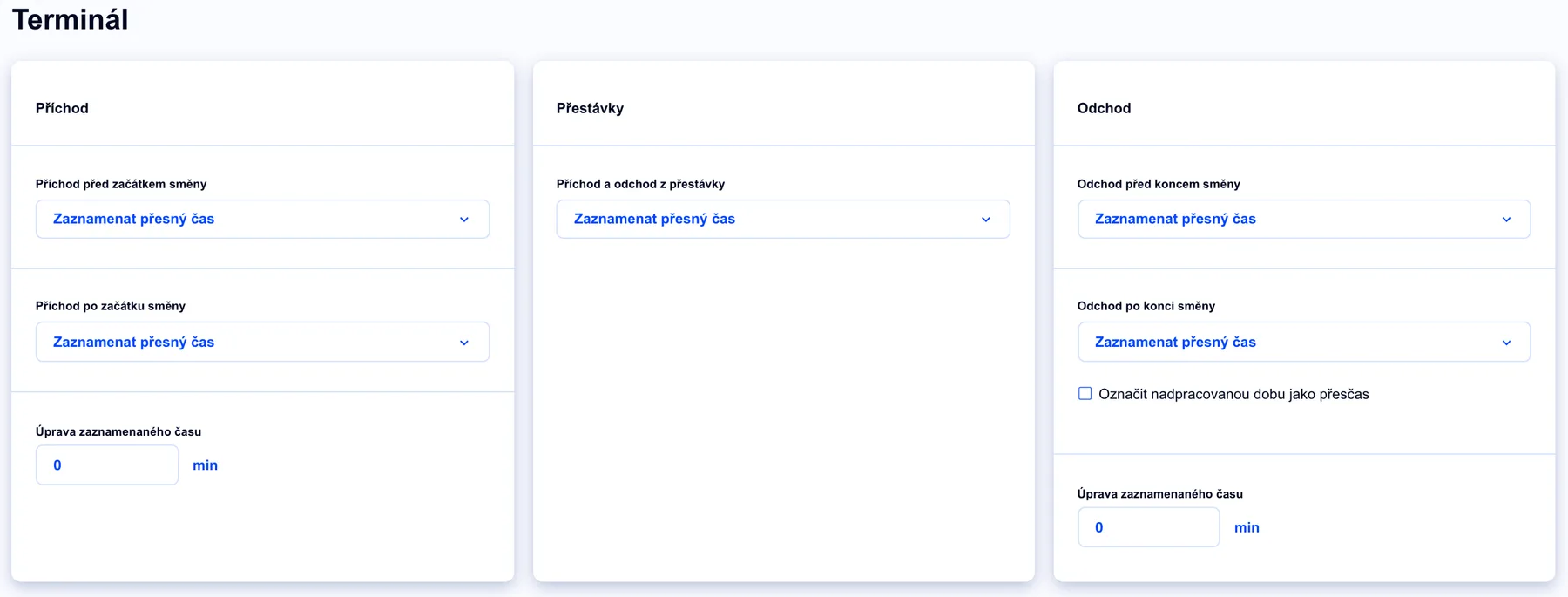
Rounding by your own rules
By default the terminal records the exact time. Set rounding separately for clock-ins, breaks and clock-outs — to the nearest five minutes, or straight to the shift start and end.
There are direct connections to KS Portal, Pamica, Helios, HH and MRP. You can also download a generic Excel export for any other system.
No, you buy no equipment. The terminal is a Dayswaps page you open on a regular tablet or phone at the workplace. And if you already own a reader, we connect to it.
Yes. The system deducts breaks according to the legal rules you set up for your operation.
Yes. Every record shows scheduled and worked time side by side, with the difference highlighted.
Yes, if you allow it. You set approval to fit your operation — manager only, or the employee for their own attendance too.
Yes. Dayswaps is used by operations from five people up, and rolling it out needs no equipment and no IT department — the terminal runs on a tablet and staff see their own attendance in the mobile app. Do budget for the Complete plan at €2.24 per user per month billed annually, though: on Basic staff clock in on the terminal, but the attendance overview, payroll data and exports start with Complete.
Yes. Employees record attendance directly in the mobile app — on site, in the field or across branches. A terminal at the workplace is an option, not a requirement.
Join more than 100 companies that plan their shifts with Dayswaps.
Free for 14 days, no credit card required.